![geoVexa__png[1]](https://geovexa.com/wp-content/uploads/2025/07/geoVexa__png1-300x85.png)
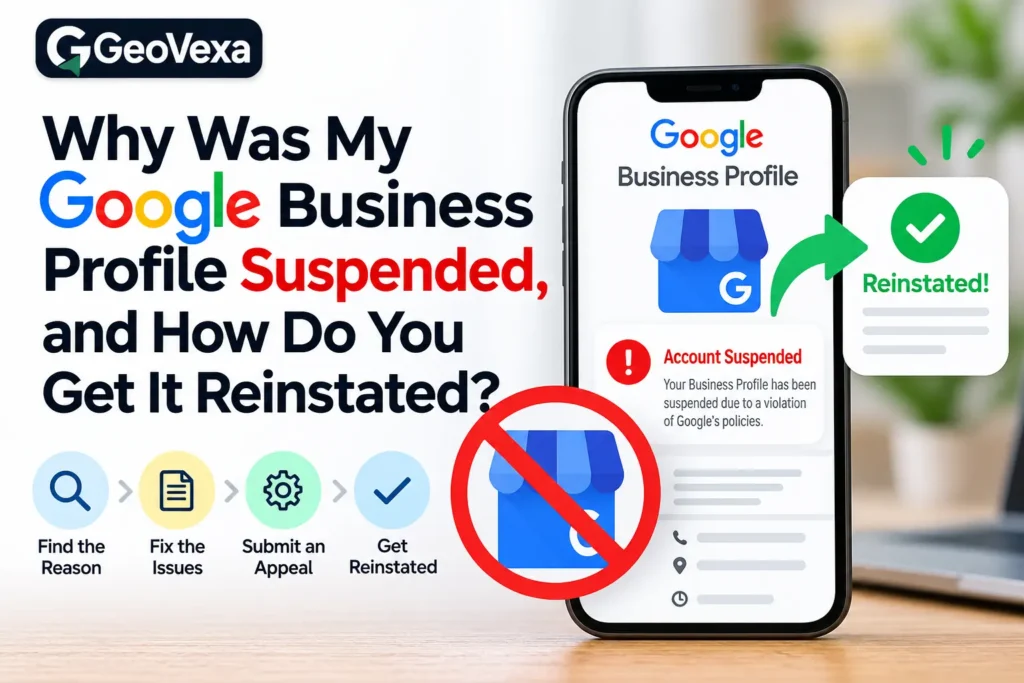
You open your Google Business Profile and find a banner saying it has been suspended. The calls slow down, the map listing disappears, and anyone who searches for your business name now sees your competitors first. For a local business that relies on Google Maps, it is one of the worst mornings you can have.
Here is the encouraging part. Most suspensions can be reversed, and a lot of them come down to a fixable mismatch rather than a serious violation. The trouble is that what you do in the first few days often decides whether you get your listing back quickly or end up stuck in a cycle of rejected appeals. This guide explains what a suspension means, why Google suspends profiles, what proof it asks for, and how long you should plan to wait.
What a suspension actually means
Google uses two types of suspension, and they look different. A soft suspension usually means your profile has lost its verification. It may still appear on Maps and Search, but you cannot edit it, answer reviews, or manage it. A hard suspension is more serious. Google removes the profile from Search and Maps entirely, and all you can see is a notice in your dashboard.
Your reviews and photos are not deleted in either case. They stay attached to the profile and return when it is reinstated.
Most suspensions are triggered automatically. A system notices something that looks wrong, such as an address that does not appear to be a real business location, and suspends the profile before any person looks at it. That is useful to know, because it means your goal is not to argue with Google. Your goal is to give a reviewer the proof the system was missing.
The most common reasons Google suspends a profile
Address problems cause more suspensions than anything else. Virtual offices, coworking desks, mailbox stores, PO boxes, and addresses where nobody is present during your listed hours all raise flags. Service businesses run into trouble when they show a home address publicly even though they travel to customers. If you serve customers at their location, you can hide your address and set a service area instead.
Business name violations are the next big one. Adding keywords or a city to the name, so that “Carter Roofing” becomes “Carter Roofing Best Roofer in Dallas,” breaks Google’s rules. The name on your profile should match your signage, your website, and how customers know you in real life. Website mismatches also cause trouble. A site that redirects somewhere else, sits under construction, belongs to another company, or never mentions your business name and address gives Google little reason to trust the profile.
Editing too much, too fast is a quieter cause. Changing your name, address, category, and phone number within a short window, especially soon after verification, can trigger a fresh review and a suspension. Duplicate profiles and shared addresses create similar problems. Two listings for the same business confuse Google, and so can two businesses in the same category sharing one suite unless they are clearly separate.
Review activity can also get you in trouble. Fake reviews, reviews from staff or family, rewards in exchange for reviews, and filtering out unhappy customers before they can post all violate the guidelines. Some businesses are simply ineligible. Lead generation sites, businesses with no in-person contact with customers, and companies in categories that require a license they cannot show can all be suspended even when the rest of the profile is clean.
Finally, competitors sometimes report listings. Even when a report is unfounded, Google may suspend the profile while it checks.
What to do in the first 48 hours
Resist the urge to act fast. Start by taking screenshots of the profile as it stands, including the name, address, phone number, categories, hours, and website. Then compare each detail against Google’s guidelines and against your real-world paperwork to work out the likely cause.
Do not create a new profile for the same business. Google warns that this can get both listings suspended, and it makes your original case harder to win. Do not keep making small edits to the suspended profile either. If something needs fixing, fix it once, properly, before you appeal, and then leave the profile alone while the request is reviewed.
Also check that you are signed in to the right Google account. Only the profile owner can submit a reinstatement request, so make sure you are using the account that owns the listing.
What Google asks for during verification and appeals
When you appeal, Google wants proof that your business is real, currently operating, and located where the profile says. The exact requirements depend on the reason for the suspension, but the same types of evidence come up again and again.
For a business with a physical location, that usually means a business license or registration showing your legal name and address, plus a utility bill, lease, or tax document that carries the same details. Google also looks for clear photos of the building’s exterior with signage and street number visible, the interior, your workspace, and your equipment or stock.
Service area businesses are asked for a different kind of proof. Photos of branded vehicles, uniforms, tools, and job invoices with your business name on them help show that you operate as you describe.
Your website matters in every case. It should show the same name, phone number, and address as the profile, and you may be asked to show that you own the domain. In some situations Google also asks for a short live video showing your location and signage.
The single most important rule is consistency. The name on your license, the name on your profile, and the name on your sign should all match. A different suite number or a slightly different business name can be enough to sink an appeal. Send clear, readable files rather than blurry phone screenshots, and keep your written explanation short and factual. Say what the business does, what the problem was, and what you changed. Long emotional appeals do not help.
How long reinstatement takes
Google currently says appeal reviews can take up to five business days. That is an estimate for the review, not a promise of approval. In practice, clean cases with matching documents often move within that window, while cases that need extra information can run to a couple of weeks. During periods when Google is suspending a lot of profiles, waits have stretched toward a month.
Sending several appeals in a row tends to slow things down, since each new request can restart the review. If Google denies your appeal, it may offer another round of review. Use it only when you have new evidence or a correction that was missing the first time. Sending the same documents again rarely changes the outcome. Do not read a fast reply as approval or a slow one as failure. You will get one of three results: reinstated, denied with a reason, or a request for more information.
Mistakes that make reinstatement harder
A few habits cause most failed appeals. Submitting without evidence is the first. Guessing the wrong cause is the second, since a perfect appeal about your address does not help if the real problem was your business name. Forged or edited documents are the worst of all, because they can turn a fixable suspension into a permanent one. And impatience, in the form of repeat appeals, new listings, and constant edits, undoes careful work.
How to avoid another suspension
Once you are back, protect the listing. Use your real business name, keep your name, address, and phone number consistent across your website and directories, and hide your address if you do not serve customers there. Make major changes one at a time and leave gaps between them. Limit who has owner access, and keep your license, lease, and signage photos in one folder so you can respond quickly if Google asks again. Ask for reviews from real customers, and never reward them for leaving a good rating.
When it makes sense to get help
If the cause is obvious and your documents are in order, you can often handle an appeal yourself. If the reason is unclear, a previous appeal was already denied, or the business depends on calls from Maps, it is worth having someone who handles Google Business Profile reinstatement every week look at the case before you submit again. A second denial leaves you with less room to fix things, and every extra week offline costs you leads.
A suspension is stressful, but it is rarely the end of your listing. Find the real cause, prove that your business is who it says it is, and give Google a clean, consistent case. Do that, and most profiles come back.
Frequently Asked Question
Why was my Google Business Profile suspended when I did nothing wrong?
Most suspensions are triggered by automated systems, not a person. A mismatched address, a business name with extra keywords, a website that does not match the profile, or a report from a competitor can all cause one. Even when a report is unfounded, Google may suspend the profile while it checks.
How long does Google Business Profile reinstatement take?
Google currently says appeal reviews can take up to five business days. That is an estimate, not a promise of approval. Clean cases often move within that window, while cases that need extra information can take a couple of weeks or longer.
What documents does Google ask for to reinstate a suspended profile?
It usually asks for a business license or registration, a utility bill or lease showing your name and address, and photos of your signage, interior, and equipment. Service area businesses can show branded vehicles, uniforms, and invoices. Your website should match the profile exactly.
Will I lose my reviews if my profile is suspended?
No. Your reviews and photos stay attached to the profile and come back once it is reinstated. They may stop showing publicly while the suspension is active, but they are not deleted.
Should I create a new profile while my suspended one is under review?
No. Google warns that a second profile for the same business can get both listings suspended. It also makes your original appeal harder to win, so fix the cause on the existing profile and wait for the review.